
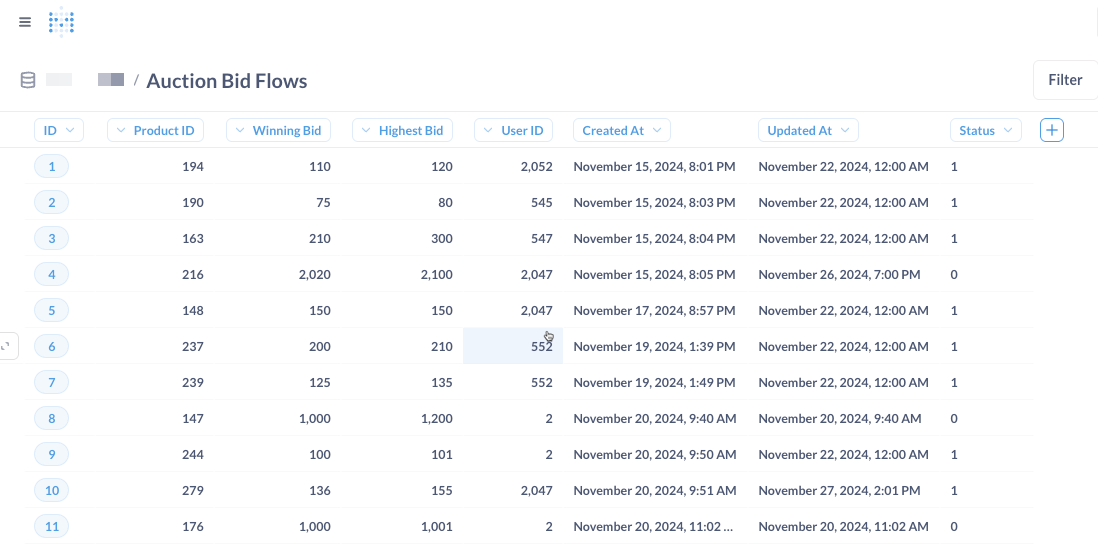
In today's data-driven world, businesses and teams often need a simple way to view data stored in databases or unstructured files without granting full database access to everyone. Ukukbuka offers an easy solution: Simple Data Views.
What Are Simple Data Views?
Simple Data Views allow users to quickly visualize data from a database table, CSV file, or other unstructured data sources in a clean, readable format—without requiring complex queries or direct database access.
Key Benefits:
- No Full Database Access Needed – Restrict sensitive data while still allowing stakeholders to view necessary information.
- Quick Setup – Create a view in minutes without coding.
- User-Friendly – Non-technical users can easily browse data in a table format.
- Secure – Control who can see the data without exposing the entire database.
How to Create a Simple Data View in Ukukbuka
- Connect to Your Data Source
- Link Ukukbuka to your database (SQL, NoSQL) or upload a file (CSV, JSON, Excel).
- Select the Data to Display
- Choose the table or file and pick the relevant columns.
- Set Permissions
- Define who can access the view (specific users, teams, or roles).
- Publish & Share
- Generate a shareable link or embed the view in a dashboard.
Use Cases
- Sales Teams – View customer orders without accessing the full CRM database.
- HR Departments – Share employee directory info without exposing sensitive details.
- Operations – Monitor inventory levels from a simple table view.
Conclusion
With Ukukbuka’s Simple Data Views, organizations can streamline data accessibility while maintaining security. Whether pulling from a structured database or an unstructured file, this feature ensures that the right people see the right data—without unnecessary complexity.
Try it today and simplify your data sharing process!